
AI Event Planning Software
The AI event planning software that replaces your project management stack. Collaborate with your entire production team, instantly generate budgets, run of show, and workback schedules — and save 40–60% of your planning time.
Event production is messy
You're managing 12 tools, 50 emails, and 3 spreadsheets — all for one event. Information is scattered, your team is confused, and you're spending more time hunting for answers than actually producing. There's a better way.
Tool Overload
5+ apps per event
Disconnected
73% miss updates
Confusion
3+ hrs daily
Tool Overload
Juggling 5+ apps per event wastes hours daily
Disconnected Data
73% of teams miss critical updates
Constant Confusion
3+ hours daily searching for answers
From brief to beautiful event docs in just three simple steps
Drop in your brief
Upload your event brief or start with one of our templates
Review and tweak
Adjust the generated budget, timeline, vendors, and task to fit your vision
Export and share
Download client-ready documents or share directly with your team
From Zero to Full Plan in Under 5 Minutes
You upload. We do the boring stuff. No setup. No spreadsheet gymnastics.
Auto-generates everything
Your workback schedule, budget, and vendor list all created instantly from your brief.
Built for event producers
Ready-to-go documents designed specifically for how you work. No time wasted on setup or configuration.
No spreadsheet headaches
Forget formatting nightmares. Just ready-to-send, client-ready docs from day one.
It's like adding a producer to your team without hiring one
According to early beta data, PlanBrite saves producers up to 70 hours per event, cuts onboarding time by more than half, and eliminates the need to build project spaces from scratch in tools like Asana, ClickUp, and Google Sheets.
Teams recover dozens of hours per project and remove costly production errors, creating a strong return on investment fast
Producers recapture billable hours, eliminate repetitive admin work, and focus on high value client activities that drive more revenue
PlanBrite generates budgets, timelines, matrices, vendor lists and workback plans instantly. No setup. No folder building. No manual spreadsheets.
Most customers cover their subscription cost on their very first event due to time saved and fewer revisions.
Who It's For
Event Planners & Producers
- Build event budgets, timelines, and run-of-show from a single brief
- Keep production documents connected as scope and headcount change
- Manage vendors, teams, and agencies in one shared system
Creative & Content Producers
- Plan shoots, creative projects, and productions with structured budgets and schedules
- Adjust timelines and deliverables without rebuilding documents
- Share production plans clearly across freelancers and collaborators
Brand, Experiential & Activation Teams
- Manage multiple productions with consistent planning workflows
- Protect margins with clear budget visibility and cost tracking
- Replace disconnected spreadsheets with one production system
One product. Three use cases. One operating system.
Whatever You Produce, PlanBrite Works for It
From intimate brand activations to 50,000-person festivals, our event project management software adapts to any scale, any team, any deadline.
Brand Activations
Conferences & Summits
Music Festivals
Corporate Events
Experiential Marketing
Trade Shows
Change one thing. Everything updates.
No more worrying if anything has fallen through the cracks. PlanBrite ensures every related item gets updated appropriately.
Spend less time double-checking every detail. Gain confidence that nothing's been missed.
Collaborate with Your Entire Production Team
Invite producers, lighting designers, AV teams, artists, vendors, and clients — everyone works from the same live plan. No more version confusion, outdated files, or "which doc is current?" moments.
Real-time team visibility
Everyone sees the same live plan — tasks, budgets, and timelines always in sync.
Invite anyone instantly
Freelancers, vendors, and clients can join in seconds. No training required.
No more version chaos
One source of truth for the entire production team. Always current, always accurate.
Your production team, all in one place
Lead Producer
Viewing live plan
Lighting Designer
Viewing live plan
AV Vendor
Viewing live plan
Brand Client
Viewing live plan
Freelance Coordinator
Viewing live plan
All team members see the same real-time workspace
Every Tool You Need, Finally Together.
No more chasing links or asking, 'Where's that file?' Budgets, timelines, vendors, revenue all live in one workspace. Update one thing, everything updates. Perfect for agencies juggling multiple events.
"PlanBrite made my team stop saying, 'Where does this live?'"
— Caitlin M., Enterprise Producer
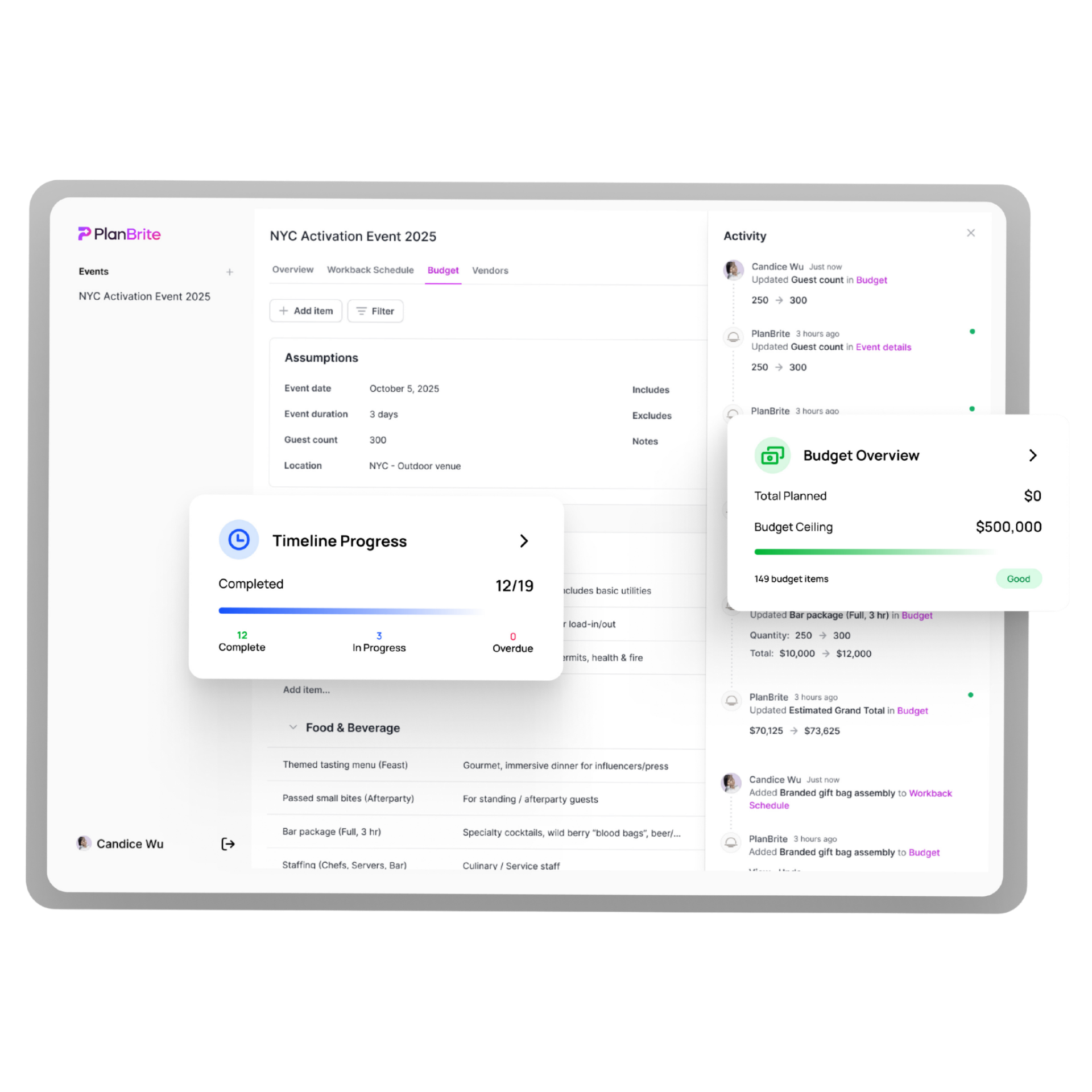
Real-Time Accountability. No More Mystery.
Everyone sees what's done, what's stuck, and who's on it. Status tags and linked vendors mean no one can say, 'I didn't know.' Teams using PlanBrite cut surprise changes by 43%.
"Accountability without the blame game."
— Joseph R., Agency Owner
Know Your Numbers. Instantly.
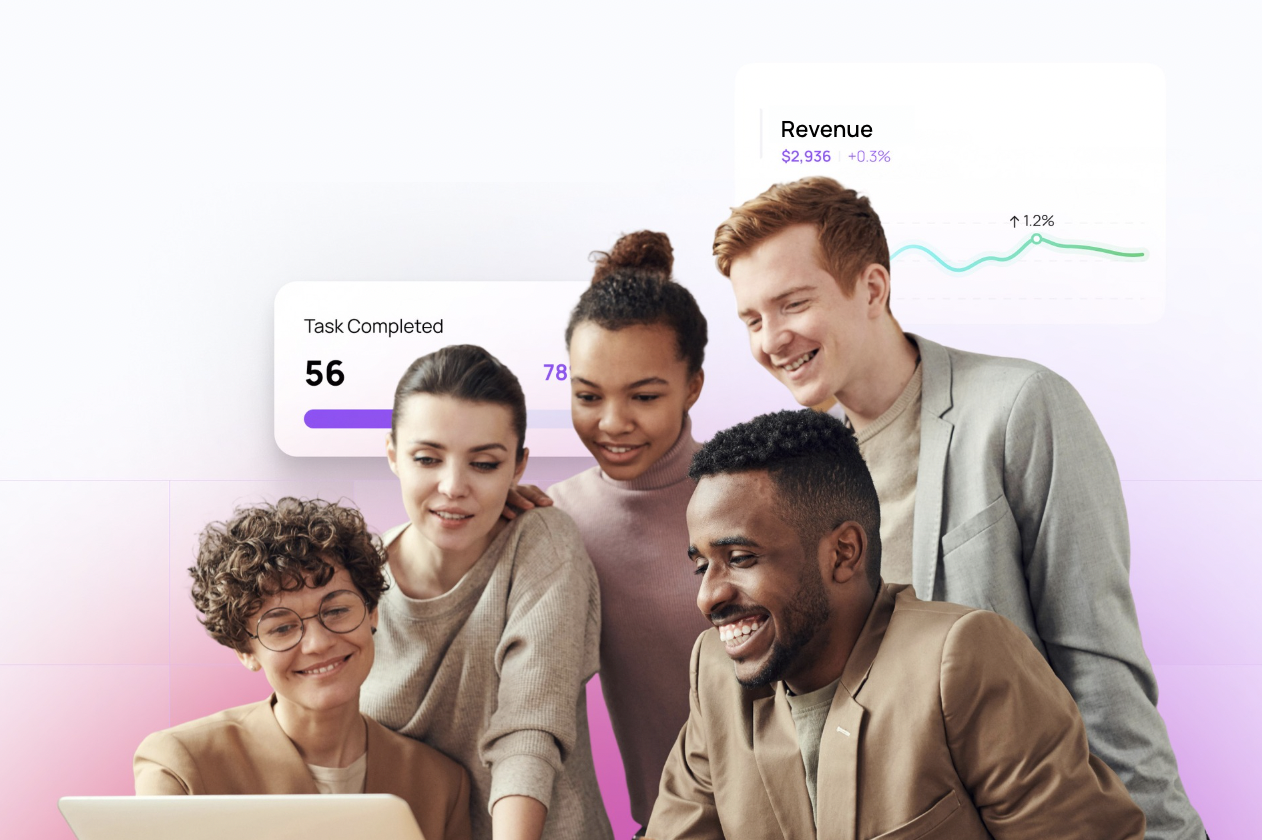
Because guessing margins isn't a strategy. Track income, expenses, and markup automatically. PlanBrite shows your real-time profit before you even invoice.
"Finally seeing profit mid-project changed everything."
— Jaylen T., Agency CEO
One Way of Working
Most tools fail because they require teams to build systems. PlanBrite provides one built for events.
Universal Workflows
Pre-built production workflows that scale across every project. No more recreating systems from scratch.
Freelancer Ready
Contractors plug in without training. They see the workflow and know exactly what to do.
Learn by Doing
Juniors learn by doing, not guessing. The system teaches best practices as they work.
"There's no training in this industry. A tool that teaches how to work would be game-changing."
Train Teams & Freelancers Instantly
Zero Setup. Zero Training. Just Start.
Project management software that actually works the way you do. No complicated setup, no intense onboarding sessions, no 47-page user manual. Your freelancers and new team members can jump in and start working today, not next week.
"I had a freelancer contributing in under 10 minutes. That's never happened before."
— Jennifer L., Director of Production
Instant Onboarding
Share a link. They're in. No training calls, no setup meetings, no IT tickets.
Seamless Handoffs
Pass projects between team members without losing context or momentum.
Intuitive Interface
Designed so simple, even your most tech-resistant team member gets it immediately.
Export Like a Pro.
Client deliverables, done in seconds. Instantly export branded PDFs or CSVs. Look professional without spending hours formatting Excel sheets.
"Clients think I have a whole design team. It's just PlanBrite."
— Jordan K., Freelance Producer
Smarter Than Templates.
Templates don't think. PlanBrite does. Instead of blank forms, you get a ready-to-edit workspace built from your own event brief. It's your production brain in digital form.
Old Way
- • Blank spreadsheet templates
- • Manual data entry everywhere
- • Files scattered across tools
- • Constant version confusion
PlanBrite Way
- • AI-built from your brief
- • Auto-populated workspaces
- • Everything in one place
- • Always in sync, always current
Pricing That Pays for Itself.
One paid month saves you 40+ hours of work. Do the math.
Planner Basic
- 1 event at a time
- All docs auto-generated
- Budget tracking
- Timeline management
- Vendor organization
- PDF/CSV exports
Enterprise
- Unlimited team members
- Advanced parsing
- Custom integrations
- API access
- SLA guarantee
- Onboarding & training
Compare PlanBrite
See how PlanBrite stacks up against other tools planners try before switching.
| Features | PlanBrite | ClickUp | Monday | Eventeny | Notion |
|---|---|---|---|---|---|
| Auto-generated timelines & budgets | Yes, PlanBrite has Auto-generated timelines & budgets | No, ClickUp does not have Auto-generated timelines & budgets | No, Monday does not have Auto-generated timelines & budgets | No, Eventeny does not have Auto-generated timelines & budgets | No, Notion does not have Auto-generated timelines & budgets |
| Event-specific documentation | Yes, PlanBrite has Event-specific documentation | No, ClickUp does not have Event-specific documentation | No, Monday does not have Event-specific documentation | No, Eventeny does not have Event-specific documentation | No, Notion does not have Event-specific documentation |
| No setup required | Yes, PlanBrite has No setup required | No, ClickUp does not have No setup required | No, Monday does not have No setup required | No, Eventeny does not have No setup required | No, Notion does not have No setup required |
| Vendor management built-in | Yes, PlanBrite has Vendor management built-in | No, ClickUp does not have Vendor management built-in | No, Monday does not have Vendor management built-in | Yes, Eventeny has Vendor management built-in | No, Notion does not have Vendor management built-in |
| Real-time profit tracking | Yes, PlanBrite has Real-time profit tracking | No, ClickUp does not have Real-time profit tracking | No, Monday does not have Real-time profit tracking | No, Eventeny does not have Real-time profit tracking | No, Notion does not have Real-time profit tracking |
| Instant freelancer onboarding | Yes, PlanBrite has Instant freelancer onboarding | No, ClickUp does not have Instant freelancer onboarding | No, Monday does not have Instant freelancer onboarding | No, Eventeny does not have Instant freelancer onboarding | No, Notion does not have Instant freelancer onboarding |
FAQ
Real questions. Real answers.
Built by a Producer Who's Been in the Trenches
PlanBrite was built by an event producer who managed activations at the Super Bowl, Coachella, and Formula 1 — for some of the world's biggest brands. After years of duct-taping together spreadsheets, Notion docs, and email threads, we built the tool we always wished existed.
We didn't guess what producers need. We lived it.
Trusted By Industry Leaders
Powering events for top brands and organizations worldwide



Let's Build Something Awesome.
Got questions, collabs, or feature ideas? Drop them here.